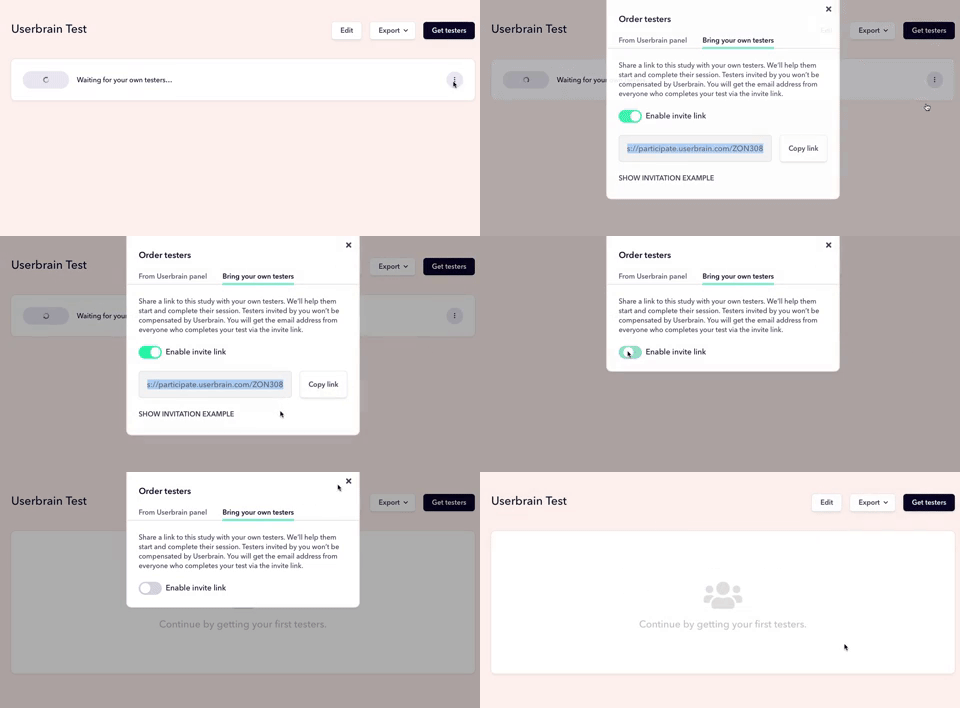
Instead of using testers from our panel, you can share a link to invite your own users.
Feature available on
Starter Plan - 3 sessions / month
Plus Plan - 10 sessions / month
Flex Plans - 100 sessions / year
Enterprise - Custom amount
How to create your invitation link
After setting up your test, click on "Get Testers"
Switch from the Userbrain panel tab to the "Bring your own testers" tab
Enable the invite link
Copy and share as desired
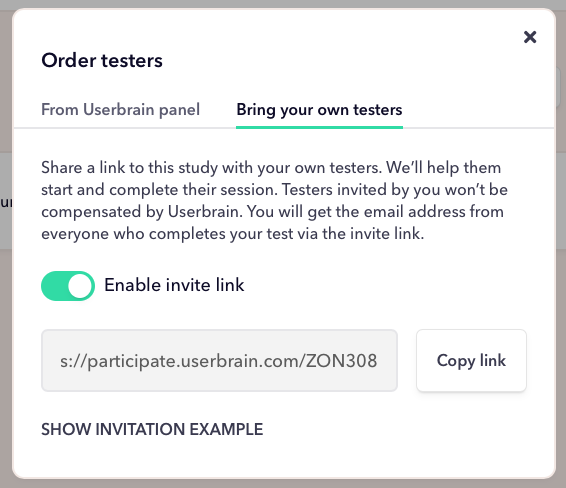
You can then share the link with participants to gather feedback.
Does Userbrain remunerate participants invited by me?
No. Participants who access your test through the invitation link will not be remunerated by Userbrain.
Which data do you collect about my participants?
Besides the full-screen recording including audio, you’ll see their full name and email of the participant, as provided by them when starting the test, as well as data on the device that was used for recording.
You can find the name and email of your participants on the detail page of every video.
What will my participants need to do to record a test?
Your participants must perform the following steps to record your test after clicking on the shared link:
Install either our Chrome Extension, iOS app or Android app for user testers
Launch the app and click on “I have an invitation code”
Enter the six-digit code from the unique link
Follow the instructions of your test and think aloud
What kind of branding will be shown to participants?
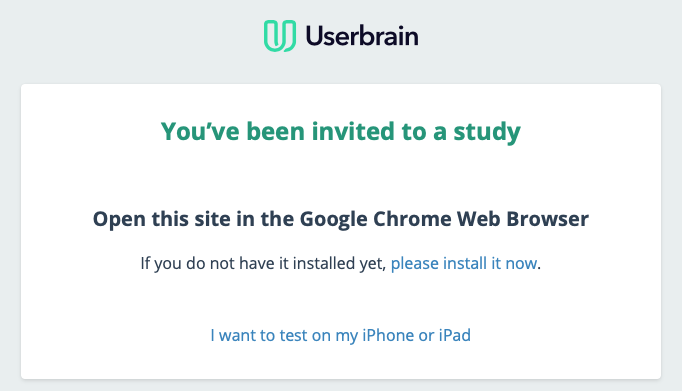
Participants will see a page branded by Userbrain where they’ll find an explanation of the process, a link to our recording tools, and a unique code to access the test within the app.
How do you revoke access to a test?
After sharing the link to your test you can disable access anytime by disabling the invite link in the manage link section on your dashboard.